Google Reader

www.google.com/reader/m/view/ (xhtml-mp)
 Six months ago I posted a piece entitled All I want is a good WAP RSS Reader comparing all the mobile web based rss aggregators that I could find at that time. Last week Google released a mobile version of their Reader. Here's my take on the latest entrant in mobile feed reading wars.
First of all, the main advantage that web based aggregators have is that they maintain the state of your feed reading experience across devices. If you read something on a web based reader on your PC it won't pop up as unread on the mobile edition of that reader. So what I really want is a reader that has a great mobile version and a great full web version as well. As I wrote here, I'm willing to put up with the glaring defects in Bloglines Mobile simply because the feeds in it are synchronized with the excellent desktop version. So if you don't like Google Reader on the desktop then there isn't much reason to use it on your mobile device. A lot of people like the "big" Google Reader but at least as many hate it.
I think there are several reasons that opinion on Google Reader is so polarized. The main one is that Google Reader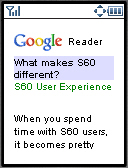 uses the "River of News" paradigm - where you see the titles of the latest items from all your feeds mixed together in the order received. Personally, I'm not a fan of the "River...". Certain blogs I like to read first, Russell Beattie was like that until he quit posting. Now my favorites are Michael Mace, Martin Sauter and Carlo and Russell at MobHappy. If one of them has a new item I want to read it first, before the latest press releases on Engadget or some phone review.
Google Reader on the web has a glorious looking UI with lots of Ajax magic. I'm not so sure it's actually as usable an interface as the clunky Bloglines one. Google Reader is also a beta, even on the desktop, and there is missing functionality - no way to mark all the items in a feed or in all feeds as read, for example. I hear people complain about bugs too - one glaring one is that if you unsubscribe from a feed, it doesn't remove that feed's unread items upstream in the "River", you still have to visit them to make them go away.
Incidentally, Google Reader has two defaults that you will probably want to change. 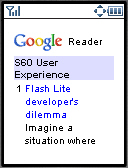 I had to change the sorting to "date" - the default sort of "auto" seems to sort items in totally random order. I think it's supposed to sort items with more "authority" higher but it just seems broken to me. You probably also want to set read items as hidden. Note that you can only change these defaults on the desktop - not on the mobile pages.
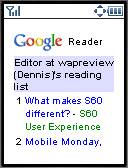
But enough about Google Reader on the desktop, lets look at the mobile version. The opening screen (top image) shows a list of the 9 most recent items from your feeds. The list is compact with just the item title and the name of the feed. Clicking the title or the numbered access key takes you to the item (2nd image). Unlike Bloglines mobile, Reader puts only one item body on a mobile page. Bloglines sends the full text of all unread items from a given feed to you as a single page. That can be 100's of KB's for a high volume, image-heavy feed - more than most mobile browsers can handle.
You can also read all the items in a particular feed by clicking on the feed name in the list of 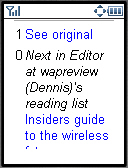 items. Of course, you might have to go through several screens of items before you find one from any particular feed - but that's the way River of News works. When you go into a feed this way, you again see a compact list (third image) of the first nine titles along with the first sixty characters of each entry.
Mobile usability is pretty good in Reader. Access keys are used extensively. The lists of items all have access keys so you can just hit a single numeric key to go to an item. At the bottom of each item are links to the next un-read item, to the full item and back to the list of all items (bottom image). These links have access keys too.
Images in feed items are displayed full size rather than compressed, which could be a problem with feeds that include big images. All links in feeds are retrieved using the Google transcoder - which does resize images. There is a link to the full item on the originating blog, which also uses the transcoder. Although transcoding is a touchy subject with many bloggers, transcoding the full item does provide a mobile-friendly way to read partial feeds.
I was not able to launch Reader Mobile in my favorite Palm OS browser, Xiino as the pages are sent with the mime-type of application/xhtml+xml which Xiino doesn't support. This is likely to be an issue with other PDA browsers, particularly old ones. Google really needs to do browser detection and only send xhtml to devices that can accept it. Most other browsers including Opera Mini work fine. You can launch Google Reader by going to http://www.google.com/reader/m/ or by just going to google.com on a mobile device and choosing personal home page and then Reader.
In summary, I think that Google Reader Mobile is the best mobile-web based rss reader yet when only the mobile piece is considered. Compared with Bloglines mobile it has a much better UI that won't overload your browser. It doesn't have as big an advantage over Feedlot UI-wise but it does support Atom feeds which Feedalot does not. If you are using Bloglines or Feedalot on the desktop, I don't recommend switching unless you can also live with Google Reader on the desktop.
1-July-2013: Shit down by Google

InoReader
 Usability:
inoreader.com/m (xhtml-mp)
InoReader is my current favorite mobile and desktop RSS/Atom Reader. It's lightweight, fast, stable and seems to do the best job of staying up to date with new items.
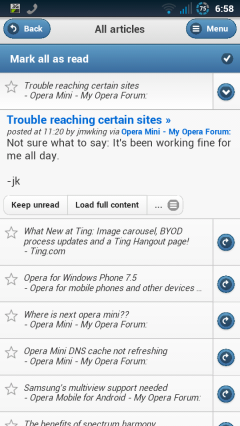
InoReader uses separate mobile and desktop templates. The user interface in both versions is similar to Google Reader's final desktop and touch mobile versions. But, unlike the touch version of Google Reader, InoReader works well in Opera Mini.
Screenshots


The Old Reader
Usability: theoldreader.com/ (xhtml-mp)
The Old Reader seems to have been inspired by Google Reader before before Google removed all the social features. It lets you follow other user's feeds and easy share content with other Old Reader users and on Facebook. After Google Reader shut down The Old Reader was my favorite until I found InoReader.
The Old Reader is probably the most popular of the current crop of mobile friendly Web based readers and it got badly overloaded right after Google Reader shut down. It was slow and offline a lot at first but seems stable now.
The Old Reader uses a responsive design which works well in the Android browser but has a lot of wasted space at the top of the screen. It's usable in Opera Mini but some features like marking items as read are broken.

AOL Reader
Usability: reader.aol.com (xhtml-mp)
The AOL Reader has a clean design and the ability to star favorite items and share or save them on a long list of services including Twitter, Facebook, Google+, Linkedin, Readability, Evernote, StumbleUpon and Weibo.
AOL Reader uses separate desktop and mobile layouts. It works well on the desktop and with the Android JellyBean Browser and Firefox for Android. But it locks up in the Android Gingerbread browser and the login form is broken in Opera Mini.

Curata Reader
Usability: reader.curata.com (xhtml-mp)
Curata Reader has what I think is the most attractive visual design of the five readers. I like that it displays items in expanded form rather than as headlines or excepts that you have to click to expand. However it only displays the 20 newest items with no way to see more.
Unlike most readers Curata doesn't keep of what you have read and can't show you only unread items. That might bother some users but it's not a big deal to me as I like to read feed items chronologically from the newest to the oldest. When I find myself re-reading something I've seen before I know I'm done.
Curata Reader has good social features. You can give flag items for latter reading, give them a thumbs up or down and share them on Twitter, Facebook or by email. Curata Reader worked in all tested browsers.

Newsvibe
Usability: newsvi.be (xhtml-mp)
Newsvibe (image above, right) uses a responsive design which unfortunately seems to work better on PCs than phones. The login form is truncated and unusable work in portrait orientation in the Android browser. You have to switch to landscape to log in and then pages don't reflow properly when switching back to portrait. Another annoyance in the Amdroid browser is that pages are formatted slightly wider than the screen making them tend to skew sideways when scrolling.
But the biggest misfeature of Newsvibe is that it only displays excerpts of items even if the feed contains the item's full text. That forces you to click through to the source site to read the rest wasting time and bandwidth . Newsvibe also seems slower than other readers to pickup new items.
Newsvibe doesn't work in Opera Mini (the log in form is missing).

Winksite
winksite.com/ (xhtml-mp)
 I really like Winksite, I'm working on a full review of the site, and they do so many things so well that I feel bad about critizing their RSS reader. If you don't know Winksite, it's a true pioneer mobile institution. It's made it extremely easy to make a mobile edition of your blog. You can create a new blog on Winksite (editable via WEB or WAP!) or enter your feed url and let Winksite create a mobile blog site from it. Your "mobilized" blog will be accessible from WAP1, WAP2, i-Mode, PDA and even desktop browsers. Did I mention it's free too! The list of bloggers hosting their mobile blogs on Winksite reads like a who's-who of blogging's stars, Om Malik, MobHappy, Smart Mobs, Mobile Jones just to name a few. You can also build simple WAP sites combining static text pages, your own or other peoples feeds, a guest book, chat and surveys. All this without having to write any code.
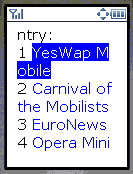
Winksite's RSS aggregator is also nearly perfect. The UI features a clean index that lists the titles and nothing else. Numeric shortcuts to the items are provided on every device that supports them. Full item content is shown paginated and you can also get to a transcoded version of the original blog - something you'll need if you read partial feeds like MobileRead or the BBC. There is only one thing that could be improved. Winksite doesn't give any indication of which feeds have unread items. I read a number of feeds that aren't updated daily - when using Winksite I have to go into each one to see if it has anything new. This wastes a significant amount of time on a slow mobile connection. I'm suspect it would be a lot of work to retrofit an unread items indicator into Winksite's code but it sure would be nice. Even as it is, Winksite ties with Feedalot as the best Mobile RSS aggregator available today.

mobilerss.net
Usability: mobilerss.net (xhtml-mp)
Any interesting alternative to the mobile versions of Google Reader and Bloglines, mobileRSS.net is a simple web based mobile RSS and Atom feed reader. It supports OPML imports and exports shows all recent items from a feed in a single long page like Bloglines. Look and feel can be altered by choosing from among a dozen predefined styles. Shows which feeds have unread items but does not hide read ones.